


Can we get to live cost visibility in Databricks?
.png)
Project TruProxy: Building Live Databricks Cost Visibility for Engineers
Why we started building this
Our team kept running into the same frustrating gap: when you're working in Databricks, you have almost no idea what your actions are actually costing you in the moment. Spin up a cluster, attach to a bigger node type, kick off a SQL warehouse, let autoscaling do its thing — and then wait. Hours, sometimes days, before the billing data in the system tables or the Azure billing reports catches up and tells you what just happened.
For a team that cares about building cost-efficiently, that feedback loop is way too slow. By the time the numbers land, you've already moved on. The decision that drove the cost is long out of your head, and the chance to do something about it is gone.
We looked around for a tool that solved this. We couldn't find one. So we started building it ourselves.
We're calling it Project TruProxy — a live cost proxy for Databricks. The pitch in one line: can we calculate live Databricks spend across all key cost sources, creating a real-time feedback loop between action and cost insight? Think of it as a lightweight Kubecost, but for Databricks.
What TruProxy actually does
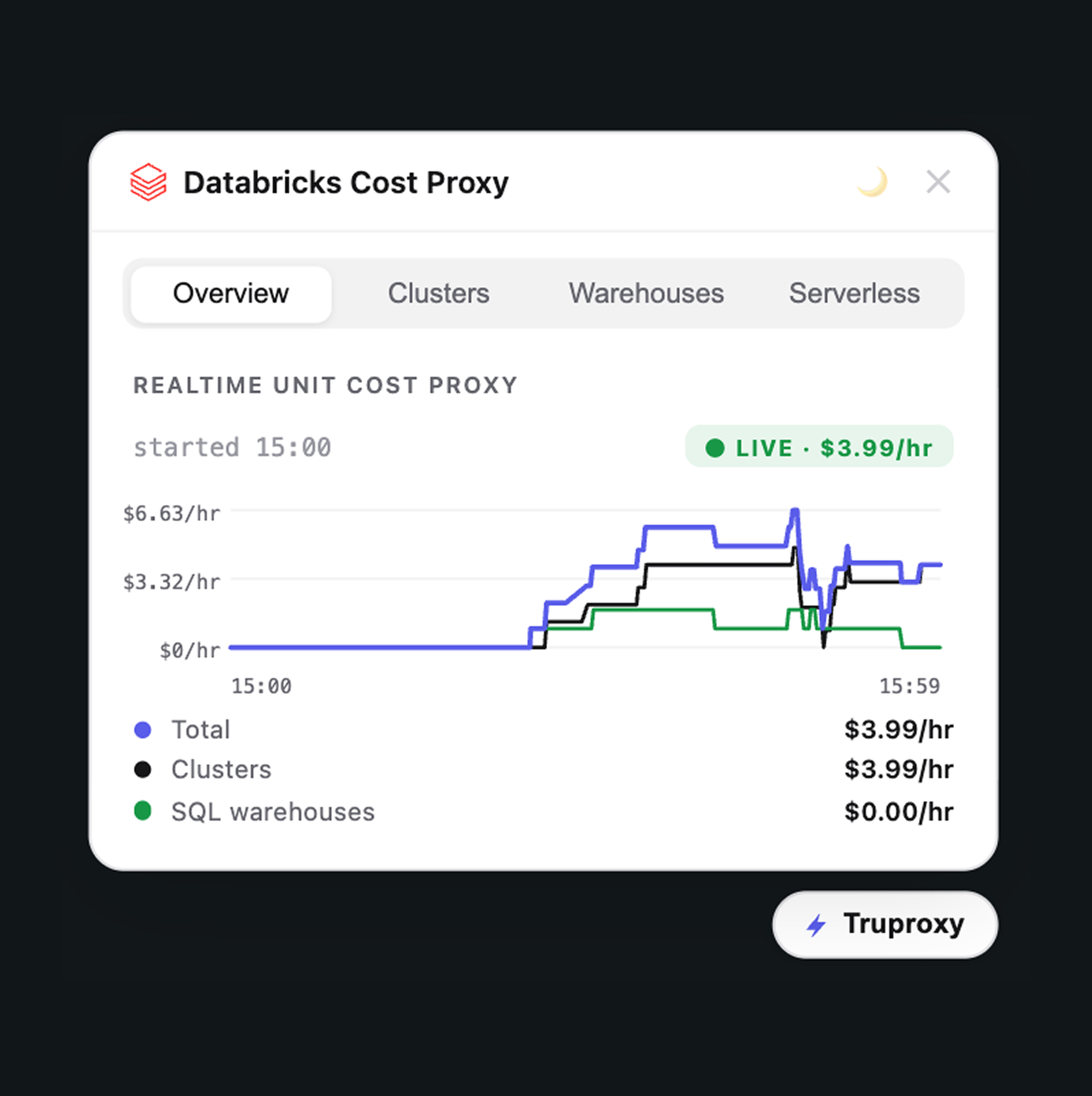
TruProxy sits inside your Databricks workspace as an extension. It pulls live signals from the Databricks APIs, joins them against current pricing, and gives you a per-second view of what every running service is costing you right now. No waiting on billing data. No reconstructing what you did three days ago. The cost lands where you, the engineer, already are — making the cost/quality tradeoff intrinsic to the work, not a quarterly cleanup exercise.
It's still a work in progress. We've started with the two cost centers that hurt the most: all-purpose clusters and SQL warehouses. From there we want to expand into job runs, DLT pipelines, model serving, and whatever else our community tells us matters most.
Follow the build
We're sharing the journey openly. Here are the first three episodes:
Step 1 — The Concept. Why we built TruProxy, what problem it solves, and what it looks like inside Databricks. Watch it here:
Step 2 — Clusters. A deep dive into all-purpose cluster cost tracking. You'll see the overview tab where total spend across all services rolls up, the per-cluster breakdown showing each one's hourly cost (a small cluster running at $1.93/hour, a colleague's smaller cluster at $0.82/hour for the driver alone), and what happens when you attach to a new cluster — the state changes to "resizing" and the dollar-per-hour scales up in real time as worker nodes come online. We also run an autoscaling demo: we kick off a heavy workload, watch Databricks add nodes, watch the cost climb to nearly €2/hour, and then watch it scale back down as the load drops. Then we shut everything off and see costs return to zero on the spot. Watch it here:
Step 3 — Warehouses. The same approach, applied to SQL warehouses. We spin up a few warehouses and see total SQL warehouse cost climb as each one starts. We create a fresh "TruProxy" warehouse (extra-small, because we don't want to run up a demo bill), see it appear in the dashboard within seconds, watch it contribute its share to the total, and then stop it and watch the cost drop straight back down. By the end of the demo, every warehouse is off and the meter is at zero — which is exactly the kind of awareness we wanted in the first place. Watch it here:
Why this matters
There's a thing that happens when cost feedback is fast enough: behavior changes. You notice the warehouse you forgot to stop. You see what your autoscaling policy is actually doing under load. You feel the difference between cluster sizes in your gut before you ever see it on an invoice. That's the loop we're trying to close — drive cost action and ownership at the moment the decision is being made, the same way we approach quality with our flagship TRU+ product.
It's also why we want this in the engineer's workflow, not in a separate FinOps dashboard nobody checks. Cost ownership doesn't scale if the people making the cost decisions are the last to find out.
Try our Databricks app (beta)
TruProxy (beta) is ready to install as a Databricks app. You can grab it here: https://databricks.trupositive.ai/
Drop it in, point it at your services, and you'll see live spend within a minute or two. This is how you get started:
We'd genuinely love your feedback once you've kicked the tires:
- Does this fit how you actually work?
- Which Databricks service should we cover next — job runs, DLT pipelines, model serving, something else?
- What's missing for it to be useful to your team?
Contribute or get in touch
This is a build-in-public project. If you want to contribute, suggest features, or just chat about Databricks cost visibility, reach out to us — we're easy to find. Led by our CPO Philip Wauters, the dev team is shipping fast and reading every reply.
Watch the videos, install TruProxy, tell us what to build next. The whole point of this project is to figure it out together.
— The TRU+ Crew
Related posts
Discover further insights: browse related articles.


