Get your TRU+ Cost Alerts now directly in Slack & Teams
.png)
Take Action Faster, With Zero Workflow Disruption
Over the past months, we’ve listened closely to customer feedback — and today, we’re excited to announce a major step forward: full TRU+ cost alerting integrated directly inside Slack and Microsoft Teams.
No extra dashboards. No context switching. Just relevant, actionable insight where your teams already work.
🌟 Why This Matters
Cloud cost anomalies don’t wait — and neither should your teams. With TRU+ now embedded in Slack and Teams, engineers can:
- Catch cost issues earlier before they turn into real budget overruns
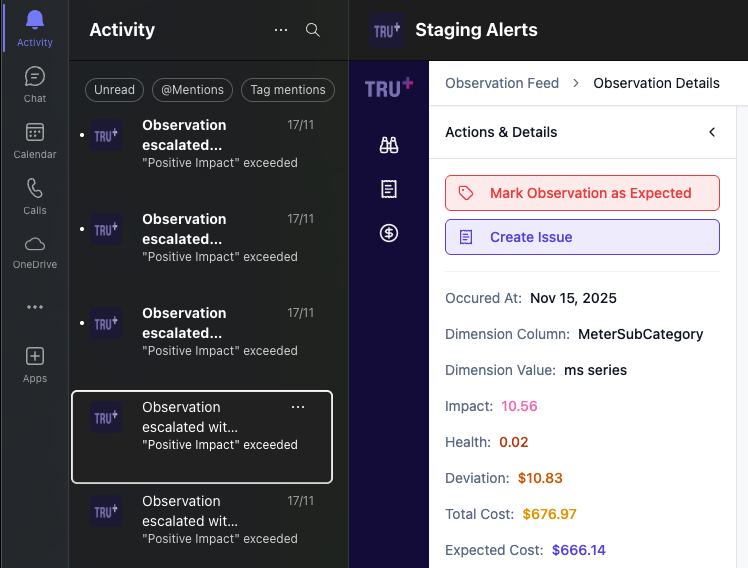
- Stay fully in their workflow with alerts delivered straight to Teams
- Collaborate more efficiently through shared org-wide alert rules
- Resolve anomalies faster by jumping straight from a Teams alert into TRU+
✨ What’s New:
1. Save Filters as Alert Rules
Turn any existing filter in your Observation Feed into a reusable alert rule your whole org can subscribe to.
- Create rules in seconds
- Name and share them (e.g., “Production Compute Anomalies”)
- Standardize how teams detect issues
2. Smart Slack & Microsoft Teams Alerts
Engineers no longer need to log into another tool — the right alerts now come to them instantly.
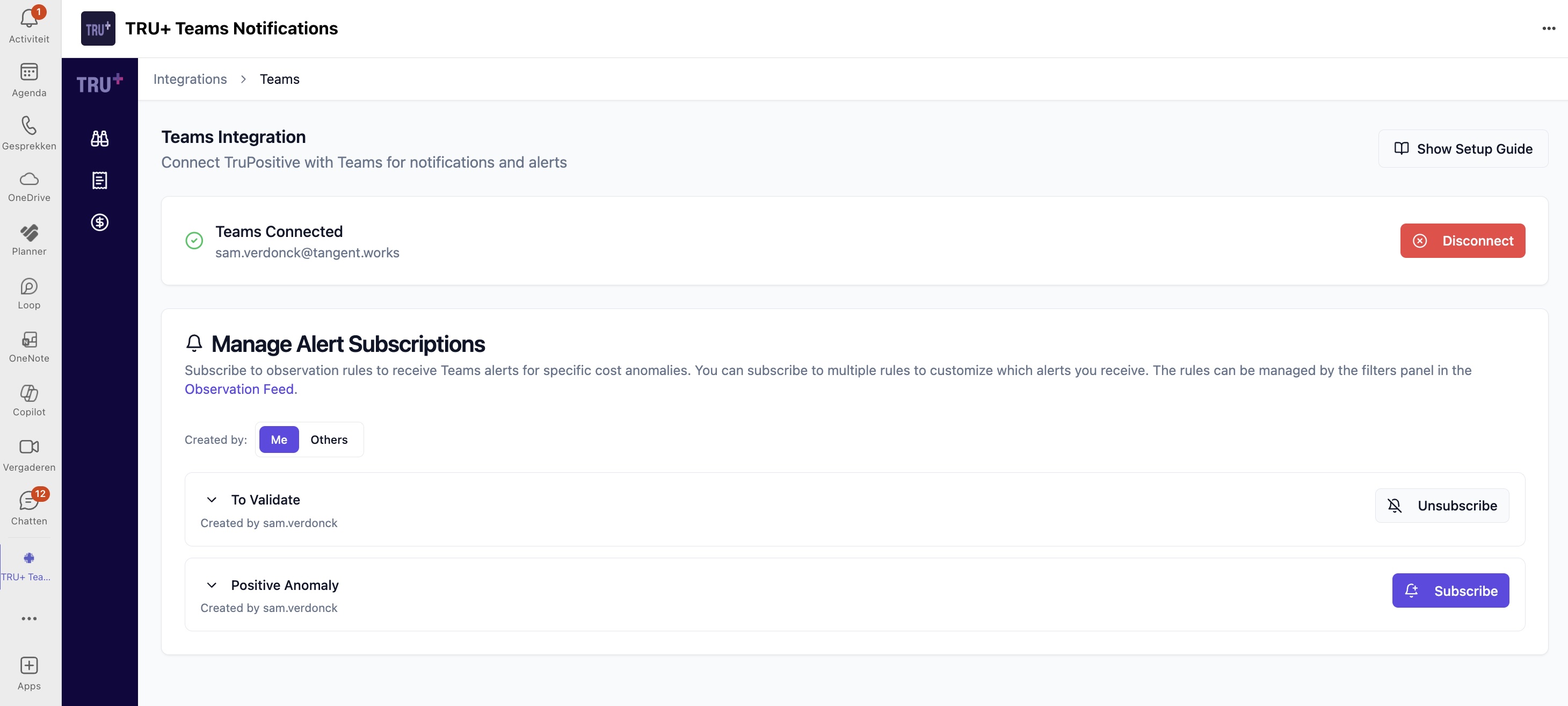
- Subscribe to rules that matter to you
- Receive notifications the moment unusual activity appears
- Open directly into TRU+ for investigation
3. One-Click Filter Application
Saved rules now act as reusable filters.
- Apply saved rules instantly
- Investigate similar patterns with a single click
- Spend less time rebuilding queries
4. Clearer Observation Context
We’ve improved the underlying context in every alert:
- Enhanced metadata beyond account mapping & SKU IDs
- More helpful root-cause clues
- Cleaner, more intuitive presentation
5. Improved Navigation Flow
We reduced friction across the entire workflow:
- Fewer clicks from alert → investigation → resolution
- Smarter Jira title & description syncing
- Cleaner UI for managing subscriptions
6. Scopes & Personal Subscriptions
Ensure every team only receives what’s relevant:
- Subscribe to rules scoped to your environments, workloads, or domains
- Keep noise low and signal high
🚀 How It Works
- Create alert rules from any filter in the Observation Feed
- Subscribe to relevant rules under Integrations → Slack orTeams
- Receive Teams alerts instantly
- Open TRU+ directly from Slack or Teams to investigate
- Mark as Expected or raise as Issue — all in one place
Related posts
Discover further insights: browse related articles.